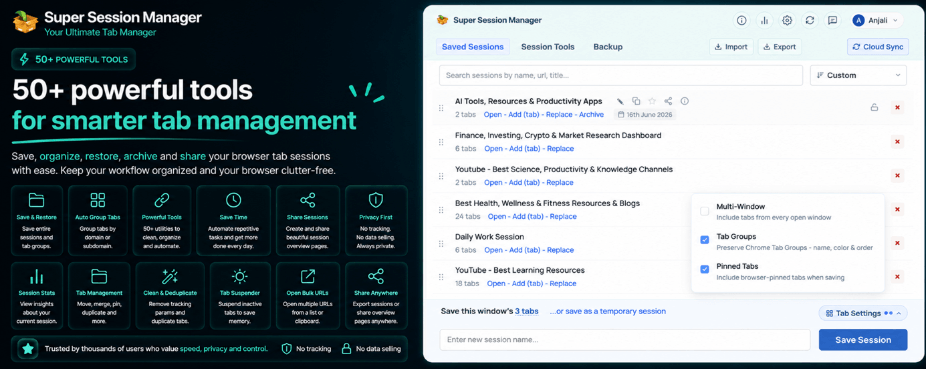
Top 10 Chrome Productivity Extensions Every Professional Should Install in 2026 to Save Time and Stay Organized
Modern professionals spend a huge part of their day inside a browser. Whether you are managing projects, researching information, attending online meetings, writing documents, or learning new skills, Chrome often becomes the center of your daily workflow.
But with productivity comes a common problem: browser overload.
Dozens of open tabs, forgotten websites, repeated tasks, and scattered information can quickly make your workday less efficient. Many professionals start their mornings by searching through yesterday’s tabs, trying to remember where important information was saved, or switching between multiple tools just to complete simple tasks.
This is where the right Chrome extensions can make a major difference.
A good chrome productivity extension can help you organize your workflow, reduce distractions, save important sessions, manage information, and automate repetitive activities. Instead of fighting with your browser, you can turn Chrome into a powerful productivity workspace.
In 2026, professionals are using smarter browser tools to improve focus and manage their digital workload. From advanced tab manager like “Super Session Manager” to AI powered assistance, the right extensions can save hours every week.
If you are looking for the best chrome extensions for productivity, here are the top 10 tools every professional should consider installing.
Top 10 Chrome Productivity Extensions in 2026.
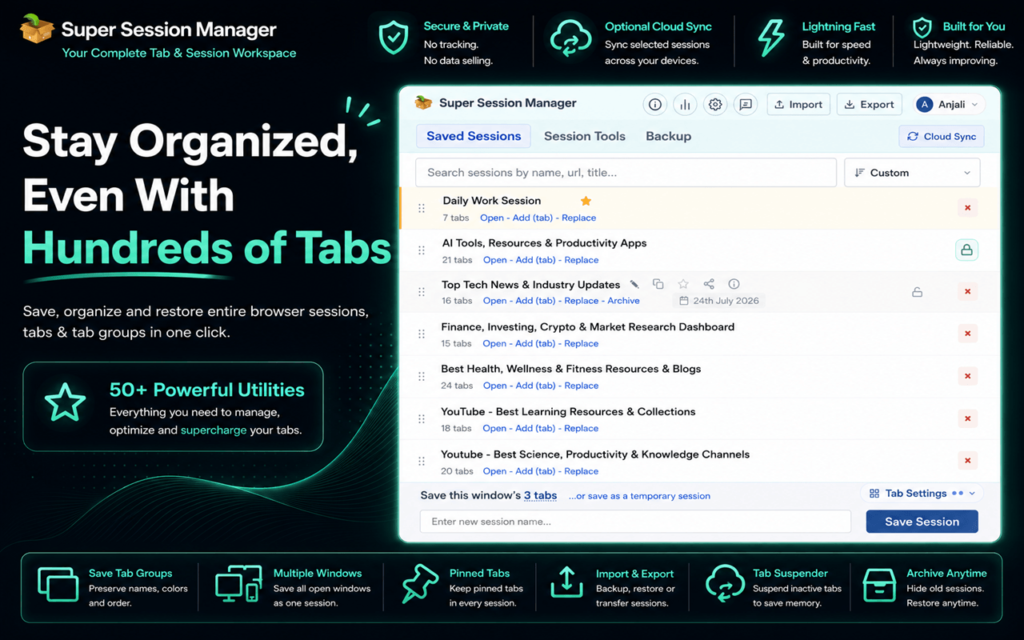
Super Session Manager Best Chrome Productivity Extension for Managing Browser Sessions
For professionals who work with dozens of browser tabs, managing sessions can become a daily challenge. Important research pages, client dashboards, project documents, and reference websites can easily get lost among hundreds of open tabs.
Super Session Manager solves this problem by helping users save, organize, and restore browser sessions whenever needed.
One of the most useful chrome productivity extension options for professionals is Super Session Manager because it does more than simply save tabs. It helps create a structured browsing environment where users can quickly return to important work without manually searching through old browser history.
Key features include:
- Saving complete browser sessions
- Restoring multiple tabs instantly
- Acting as an efficient tab manager
- Reducing browser memory usage
- Creating automatic snapshots of important sessions
For example, a marketing professional working on multiple campaigns can save separate sessions for each client. A developer can keep different project environments organized. A researcher can store collections of reference pages and return to them whenever needed.
Instead of keeping dozens of tabs open all day, professionals can save what they need and reopen it only when required.
A powerful session manager is especially valuable for people who handle multiple tasks every day. By organizing browser activity, Super Session Manager helps create a cleaner, faster, and more focused workflow.
SummaryTube : Best Extension for Faster Video Learning.
Online learning has become a major part of professional growth. From tutorials and industry updates to educational webinars, many professionals rely on YouTube for learning.
However, watching long videos is not always practical during a busy workday.
SummaryTube helps users quickly understand video content by providing summaries of YouTube videos. Instead of spending an hour watching an entire presentation or tutorial, professionals can quickly review key points and decide whether the video is worth their time.
It is especially useful for:
- Researchers collecting information
- Students learning new skills
- Professionals following industry trends
- Teams reviewing educational content
By turning long videos into easy-to-understand summaries, SummaryTube improves learning efficiency and helps users consume information faster.
When combined with other chrome extensions for productivity, tools like SummaryTube create a smarter digital workspace where information is easier to access and process.
Web Developer Tools : All-in-One Toolkit for Developers
Web Developer Tools helps developers work faster by bringing 500+ web development utilities into a single Chrome extension. Instead of installing dozens of separate extensions, developers can access tools for HTML, CSS, JavaScript, responsive testing, SEO, performance, accessibility, security, images, and much more from one place.
For developers, designers, and QA professionals, it simplifies everyday development tasks and reduces unnecessary tool switching. Whether you are debugging a website, testing responsiveness, analyzing performance, or working with code and data, Web Developer Tools provides a convenient productivity toolkit directly inside Chrome.
Grammarly Improve Writing Speed and Accuracy.
Writing is part of almost every professional workflow. Emails, reports, proposals, social media posts, and documents all require clear communication.
Grammarly helps users write faster by checking grammar, spelling, clarity, and overall writing quality directly inside the browser.
Instead of switching between editing tools, professionals can improve their writing while working in Gmail, online documents, and other platforms.
Useful features include:
- Grammar corrections
- Spelling suggestions
- Tone improvements
- Writing clarity recommendations
For professionals who communicate frequently, Grammarly reduces editing time and helps create more polished content.
Whether you are writing a client email or preparing an important document, this extension makes everyday communication smoother.
Notion Web Clipper Save and Organize Important Information.
Professionals often collect information from different websites during research, planning, and project management. However, saving useful content manually can take time and often leads to information being scattered across different places.
Notion Web Clipper makes it easier to capture important web pages and organize them inside Notion.
With this extension, users can quickly save:
- Articles and blog posts
- Research materials
- Project references
- Useful resources
- Online inspiration
For teams and individuals who manage large amounts of information, this tool creates a centralized knowledge system.
Instead of bookmarking hundreds of pages and forgetting about them later, professionals can organize valuable information in a structured workspace.
When combined with other chrome extensions for productivity, Notion Web Clipper helps create a smoother workflow where collecting and managing information becomes much easier.
Todoist Manage Tasks Without Losing Focus.
A busy professional usually has multiple tasks happening at the same time. Meetings, deadlines, follow-ups, and personal goals can quickly become overwhelming without proper organization.
Todoist helps users manage daily responsibilities by turning tasks into a clear and organized system.
The extension allows professionals to:
- Create task lists
- Set deadlines
- Add priorities
- Organize projects
- Track progress
Instead of keeping random notes or trying to remember every responsibility, users can create a simple productivity system directly from their browser.
Todoist is especially useful for remote workers, entrepreneurs, managers, and anyone who needs better control over their daily workload.
A good productivity setup is not only about working faster. It is also about knowing what needs attention and when.
Password Manager Extensions Secure Access Without Wasting Time.
Managing passwords has become a challenge for modern professionals. With multiple accounts, platforms, and online services, remembering every password can slow down productivity.
Password manager extensions help users securely store login information and automatically fill credentials when needed.
Benefits include:
- Faster website access
- Strong password generation
- Secure storage
- Reduced password recovery issues
Instead of wasting time searching for passwords or resetting accounts, professionals can access important tools instantly.
Security and productivity often go together. A safer browser environment allows users to focus on important work instead of dealing with unnecessary account problems.
Loom Record and Share Information Quickly.
Many professional tasks require explaining ideas, showing processes, or providing feedback. Writing long messages or scheduling meetings for simple explanations can waste valuable time.
Loom allows users to record quick screen videos and share them instantly.
It is useful for:
- Team instructions
- Product demonstrations
- Client updates
- Training materials
- Feedback sessions
A short video can often communicate an idea more clearly than a long email.
For remote teams especially, Loom improves collaboration by making communication faster and more visual.
Instead of typing detailed explanations repeatedly, professionals can record once and share whenever needed.
Pocket Save Content for Later.
The internet is full of useful articles, industry reports, and learning resources. However, professionals often discover valuable content when they do not have enough time to read it.
Pocket helps users save online content and access it later.
It can be used for:
- Industry research
- Reading lists
- Educational articles
- Professional development
Rather than opening multiple tabs and increasing browser clutter, users can save content in an organized reading space.
This also helps reduce the common problem of keeping dozens of “read later” tabs open.
A cleaner browser means better focus and improved productivity.
StayFocusd Type Focus Extensions Reduce Digital Distractions.
Productivity is not only about adding useful tools. It is also about controlling distractions.
Social media, entertainment websites, and unnecessary browsing can quickly consume working hours.
Focus extensions help professionals limit time spent on distracting websites and create healthier browsing habits.
Common features include:
- Website blocking
- Time limits
- Focus modes
- Productivity tracking
For people who work online all day, managing attention is one of the biggest productivity challenges.
A focus extension works as a digital reminder to stay on important tasks instead of falling into endless browsing.
See also: Exploring the Tech Behind Self-Driving Cars
AI Productivity Extensions Work Smarter With Artificial Intelligence.
Artificial intelligence has become one of the biggest productivity trends in 2026. AI-powered Chrome extensions are helping professionals complete tasks faster and work more efficiently.
These extensions can assist with:
- Writing improvements
- Research support
- Content generation
- Information analysis
- Quick answers
AI tools are becoming valuable assistants for professionals who need to process large amounts of information quickly.
However, the best results come from combining AI with strong organization habits. Tools like session managers, task planners, and AI assistants work together to create a more efficient workflow.
Final Thoughts.
The modern browser is no longer just a place for searching the web. For many professionals, Chrome has become a complete work environment.
However, without proper organization, too many tabs, repeated tasks, and digital distractions can reduce productivity.
The right chrome productivity extension can completely change how you work by helping you save time, manage information, and stay focused.
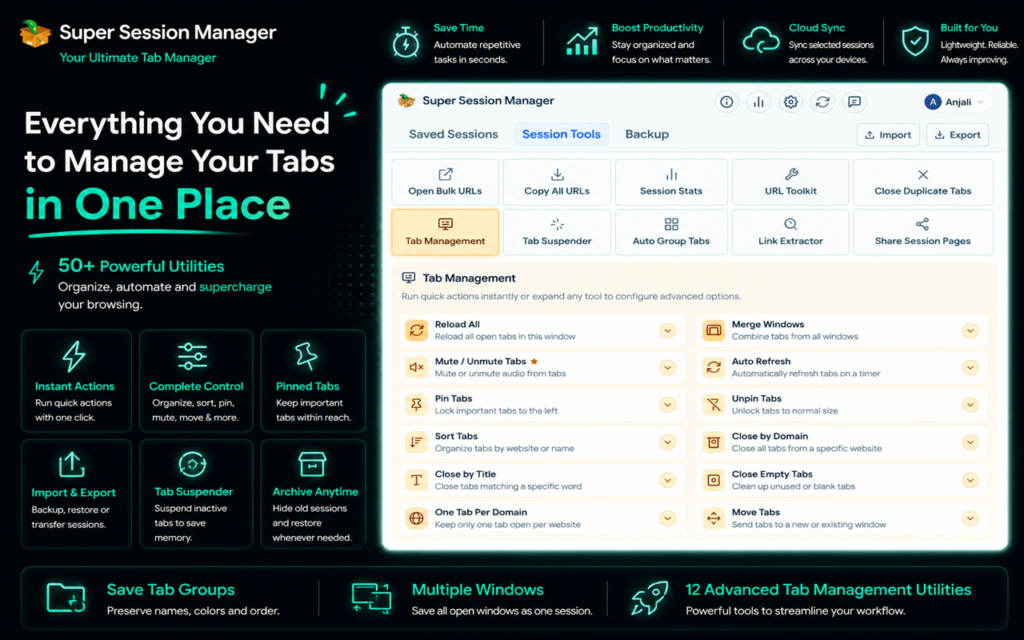
From organizing browser sessions with Super Session Manager to learning faster with SummaryTube, these tools help professionals build a smarter and more efficient workflow.
Whether you are managing projects, researching information, creating content, or working remotely, installing the right chrome extensions for productivity can help you stay organized and get more done in less time.
In 2026, productivity is not about working longer hours. It is about using better tools that make every minute count.